


Dual Camera Dash Cam with GPS Why Touch Screen CarPlay Makes Driving Safer and Smarter
A good dash cam used to be simple: stick it on the windshield, plug it in, and hope it caught what mattered. That’s still useful, but driving has changed. Traffic is heavier, distractions are everywhere, and cars are packed with screens, sensors, and apps.
So a dash cam that only records the road ahead can feel a little basic now.
A dual-camera dash cam with GPS, a touch screen, and CarPlay turns that small windshield device into something much more helpful. It can record what happens in front and behind, help with directions, make settings easier to control, and keep your phone-connected features where you can actually use them.
For tech-savvy drivers and car enthusiasts, that combo hits a nice sweet spot. It’s not just about recording a crash after the fact. It’s about making daily driving feel safer, cleaner, and more connected.

A dual-camera setup sees more of what really happens
The biggest upgrade is right in the name: two cameras instead of one.
A front camera records the road ahead. That’s the classic dash cam job, and it’s still the most important view for lane changes, sudden braking, red-light incidents, road debris, and unexpected moves from other vehicles.
The rear camera adds the half of the story many basic dash cams miss. It can capture tailgating, rear-end impacts, parking lot bumps, and what happens when someone approaches from behind.
That matters because driving incidents rarely happen in one neat direction. A sudden stop in front of you might be followed by a hit from behind. A close call while merging may involve cars on both sides of the situation. A parking lot scrape might happen after you’ve already walked away.
With a Dual-camera GPS dash cam, you get a clearer record of the drive because the system can pair video with location and route data. That doesn’t make you invincible, of course, but it can give you better context if you ever need to explain what happened.
Here’s how front and rear coverage helps in real life:
Feature | What it helps capture | Why it matters |
Front camera | Traffic ahead, road signs, lane position, sudden obstacles | Gives context for decisions and reactions |
Rear camera | Tailgating, rear impacts, vehicles approaching from behind | Fills in details a front-only camera misses |
GPS data | Route, location, speed data when supported | Adds useful context to video clips |
Parking monitoring when supported | Motion or impact around a parked car | Helps with hit-and-run parking damage |
For road trips, commuting, rideshare driving, or just running errands, the rear camera adds peace of mind. It’s especially useful if you spend time in stop-and-go traffic, where rear-end taps and close following are common.
And for car enthusiasts who care about their vehicles, a rear camera can feel like cheap insurance for the paint, bumper, and trim you’ve spent time keeping perfect.
A touch screen makes the dash cam less annoying to use
Some dash cams are powerful but frustrating. Tiny buttons. Confusing menus. Apps that take too long to connect. Settings buried three layers deep. Nobody wants to fight with a device while sitting in the driveway.
That’s where a touch screen makes a big difference.
A touch screen lets you tap through the camera views, check recordings, adjust settings, and switch features without guessing which small button does what. It feels more like using a phone or car infotainment screen, which is exactly the point.
For example, a good touch interface can make it easier to:
Switch between front and rear camera views
Lock an important clip so it doesn’t get overwritten
Adjust brightness or screen timeout
Check GPS navigation
Review recent footage after a drive
Change recording settings without pulling out the manual
That convenience has a safety angle too. The easier the system is to use before you start driving, the less tempted you’ll be to mess with it while moving.
A gps touchscreen setup also works well for drivers who like things clean and direct. You don’t need a pile of extra accessories or a phone mount blocking your vents. The screen becomes the hub for the dash cam and navigation experience.

The key is to treat the touch screen like any other in-car display. Set it up before you roll. Use voice controls when available. Pull over if you need to review footage or change something detailed.
The screen should reduce friction, not become another distraction.
CarPlay brings your phone features into the drive
CarPlay is one of those features that’s easy to take for granted once you have it. It brings familiar iPhone functions into the car in a driving-friendly layout. Maps, calls, messages, music, podcasts, and voice control all become easier to access without constantly picking up your phone.
When a dash cam system includes CarPlay integration, it can make an older vehicle feel much more current. That’s a huge plus if your car doesn’t already have a modern infotainment system, or if the factory screen feels slow and outdated.
The value isn’t just “more tech.” It’s better access to the tech you already use.
CarPlay can help with:
Turn-by-turn directions through supported map apps
Hands-free calls and messages with Siri
Music and podcast control
Calendar-based destination suggestions when supported
A cleaner place to manage common apps while driving
For many drivers, that means fewer awkward phone mounts and less cable chaos across the center console. Your navigation, media, and communication live on a screen designed for quick glances and simple controls.
It also pairs nicely with the dash cam side of the system. The dash cam handles recording. CarPlay handles phone-connected tasks. GPS supports navigation and trip context. Together, the cabin feels less patched together.
If you’ve ever tried to juggle a phone on a vent mount, a separate GPS unit, and a basic dash cam all at once, you know how messy that can get. A combined setup cuts down on clutter and mental load.
That makes every drive feel a little smoother.
GPS navigation helps before, during, and after the trip
GPS in a dash cam isn’t only about finding your next turn. It can support the full driving experience.
On the navigation side, GPS helps with directions, route awareness, and smoother trip planning. Whether you’re heading across town or crossing state lines, having navigation built into the same screen as your dash cam can feel much cleaner than bouncing between devices.
On the recording side, GPS can add context to your footage. Depending on the device and settings, it may record location and speed data alongside video. That can be helpful if you ever need to review where something happened or understand the sequence of a drive.
Think of it like adding a timeline and map to your video.
If a clip shows a sudden brake event, GPS context may help show the road, the location, and the flow of the trip. If you’re reviewing a scenic drive, it can also help connect the footage to the route you took.

For road trips, GPS navigation is one of the most useful comfort features. It helps you stay oriented in unfamiliar areas, spot upcoming exits, and avoid that last-second lane panic. For daily driving, it can help route around traffic when paired with supported navigation apps.
The best part is that GPS features don’t need to feel flashy to be valuable. Most of the time, they just make the drive feel easier.
You know where you’re going. You have a record of where you’ve been. And the dash cam footage has more meaning if you ever need to look back.
These features work best when they support safer habits
Tech can help a lot, but it shouldn’t replace good driving. A dash cam won’t prevent someone from running a stop sign. CarPlay won’t make a bad merge good. GPS won’t fix distracted driving.
What these features can do is support better habits.
A dual-camera system gives you wider coverage, so you’re not relying on one narrow viewpoint. A touch screen makes setup and review easier. CarPlay reduces the need to handle your phone. GPS navigation helps you plan turns and stay aware of your route.
Each feature removes a little bit of friction from the drive.
That adds up.
A smarter dash cam setup can help you:
Keep your phone out of your hand
Avoid fumbling with small buttons
Capture more complete video records
Stay calmer in unfamiliar areas
Review incidents with better context
Reduce dashboard clutter
There’s also a confidence factor. When you know your car is recording front and rear views, you may feel less stressed during routine driving. If something odd happens, you don’t have to rely only on memory. You have footage to check later.
That can be especially helpful because stressful moments on the road happen fast. A horn, a brake light, a cyclist, a merging truck, a sudden lane change, and then it’s over. Video lets you slow the moment down after the fact.
Just remember to check local laws on audio recording, windshield placement, and screen visibility. Rules can vary by state, and a dash cam should never block your view of the road.
What to look for before buying one
A dual-camera dash cam with GPS and CarPlay can be a great upgrade, but not every model will fit every car or driving style. Before buying, think about how you actually drive.
If most of your driving is commuting, you’ll probably care about reliable recording, easy clip saving, and clean installation. If you take long road trips, navigation, screen quality, and storage capacity may matter more. If you park on the street, parking monitoring support may be high on your list.
Look for these basics:
Clear front and rear video
Resolution matters, but so does real-world clarity. You want footage that handles daylight, shadows, headlights, and night driving well.
Simple touch controls
The interface should make sense quickly. If changing a setting feels like solving a puzzle, you’ll avoid using it.
Stable CarPlay connection
Wired and wireless setups each have pros and cons. Wired can feel more stable. Wireless feels cleaner. Pick what fits your habits.
Useful GPS features
Navigation should be easy to read at a glance. GPS data for recordings should be simple to access if the device supports it.
Enough storage support
Dash cams record in loops, so storage fills and overwrites older clips. Make sure the system supports the memory card size and type recommended by the manufacturer.
Clean installation
Front and rear cameras usually mean more wiring. A tidy install matters, especially if you care about the look of your cabin.
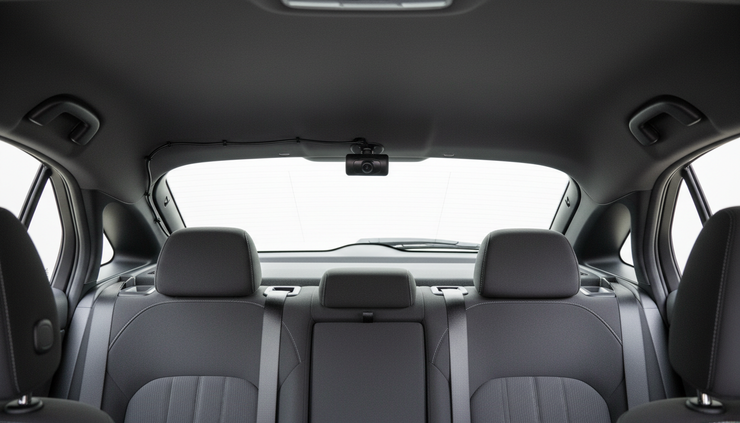
It’s also smart to think about screen size. A larger display can make maps and camera views easier to read, but it can also take up more windshield or dashboard space. The best setup feels visible without being in the way.
If your car already has a great infotainment system, you may care more about recording quality than CarPlay. If your car is older, CarPlay might be one of the biggest reasons to upgrade. Match the device to the gap you’re trying to fill.
A smarter dash cam makes driving feel more under control
The real benefit of this kind of setup isn’t one single feature. It’s how the features work together.
The front and rear cameras record more of the world around the car. The touch screen makes the system easier to control. CarPlay keeps phone features in a safer, cleaner format. GPS navigation helps with directions and gives recordings more context.
That’s a strong mix for anyone who likes tech but still wants practical value.
A basic dash cam can be helpful after something happens. A dual-camera dash cam with GPS, touch screen controls, and CarPlay can help during the drive too. It gives you better visibility, fewer distractions, and a more connected cabin.
If you’re upgrading one piece of in-car tech this year, this is the kind of device that actually earns its spot on the windshield.
Comments